
PHP2Shell: how Myrmex helps you investigate, patch and prove your response
Once the hosts affected by PHP2Shell are found, the most complex part of the response begins: investigating each server, telling which ones are critical and need to be fixed at specific times, preparing those changes, running them in their window, collecting the evidence and writing the report.
Myrmex helps its customers with the investigation, the planning, the action and the evidence, with human approval at every stage. This article sums up what is known about PHP2Shell and shows how to run the response, from inventory to report.
On October 21, 2026, the PHP project shipped emergency fixes for CVE-2026-109618 and CVE-2026-109619, known as PHP2Shell. They are two critical flaws in core PHP, both rated CVSS 9.2, that let a remote attacker run commands on the web server. Because exploitation happens before any application code runs, it leaves little or no trace in application logs.
What PHP2Shell is
Both flaws share one root cause. When PHP hits a fatal condition in the middle of a request, such as exhausting memory_limit, reaching the maximum execution time or losing the client connection, it aborts the request without unwinding the structures it was building. The shutdown routine then treats that half-built data as valid.
- CVE-2026-109618 (out of memory, same request). A crafted POST body exhausts memory while PHP parses the request variables and leaves a partially initialized structure that the request's own cleanup then uses. One request is enough.
- CVE-2026-109619 (invalid global state, across requests). A fatal error leaves global pointers referencing memory that was already freed, and the next request handled by the same worker uses them. It takes two stages: poison, then trigger. Persistent workers, such as Apache with mod_php, amplify the problem.
Researchers have also demonstrated reading PHP worker memory, which can expose passwords, tokens and API keys.
The flaws were found with the help of artificial intelligence, independently, by the security companies Calif, through a program run with OpenAI, and Wiz. Signs of the same memory problem had already appeared in a 2024 Quarkslab audit. PHP is the language behind about 70% of websites, and a large share of them run old versions that no longer get official fixes.
An early patch and a race against the clock
Disclosure was meant to follow the fix, but the details leaked first:
- Oct 17: Amazon's honeypots recorded an exploitation attempt, four days before public disclosure.
- Oct 20: the flaw identifiers started circulating on forums, and PHP moved its fix release forward. The same day, a video of a working exploit leaked and spread on social media.
- Oct 21, early hours: Cloudflare turned on protection rules for all customers.
- Oct 21, 11:35 UTC: Hadrian recorded exploitation at scale, hours before the official fix was available.
- Oct 21: PHP published the fixed releases.
The impact in Brazil
In Brazil, the response came the same day. On October 21, the federal government's cybersecurity center (CISC gov.br) issued an alert, relayed by CTIR Gov to federal IT teams, and the Institutional Security Office (GSI) told managers to update their systems immediately. The recommendations follow the same playbook as this article: update PHP, map the servers that run it, prioritize the internet-facing ones and temporarily isolate what can't be updated.
SEI, the electronic case-management system used across the federal government and by states and municipalities, runs on PHP. As a precaution, Anatel suspended external access to SEI, and the Federal Regional Courts of the 1st, 4th and 6th Regions took similar measures.
Who is affected
- Versions: every PHP release from 5.4 through 8.5.11.
- Fixed versions: 8.5.12, 8.4.27, 8.3.36 and 8.2.35. PHP 8.1 and earlier are out of support; minimal source patches exist for 7.4, 8.0 and 8.1, and Linux distributions ship their own packages, which may keep the old version number.
- Ways PHP runs: PHP-FPM, Apache mod_php, php-cgi, FrankenPHP and LiteSpeed, meaning any PHP that serves web requests. mod_php is the riskiest setup.
- Not application-specific: the flaw is in PHP's own request handling, so it does not depend on the framework or CMS.
- Configuration matters: the out-of-memory path becomes reachable when a request body can grow enough to exhaust
memory_limitbefore the script runs, which happens whenmemory_limitis lower than about 4 timespost_max_size. PHP's defaults don't meet that condition, but servers tuned for large uploads do, andpost_max_sizecan be changed per directory or per site.
With exploitation already recorded, treat it as urgent.
Am I affected? What to check
- Inventory. List every server running PHP, including installs outside the package manager. The command-line
php -vmay report a different installation from the one serving the site. - Version and package. Compare the version (or the distribution package) with the fixed releases.
- How PHP runs. Identify mod_php, PHP-FPM, php-cgi, FrankenPHP or LiteSpeed.
- Configuration. Review
memory_limit,post_max_sizeandupload_max_filesize, including per-directory overrides (.htaccess,.user.ini, virtual hosts). - Exposure. Start with what is reachable from the internet.
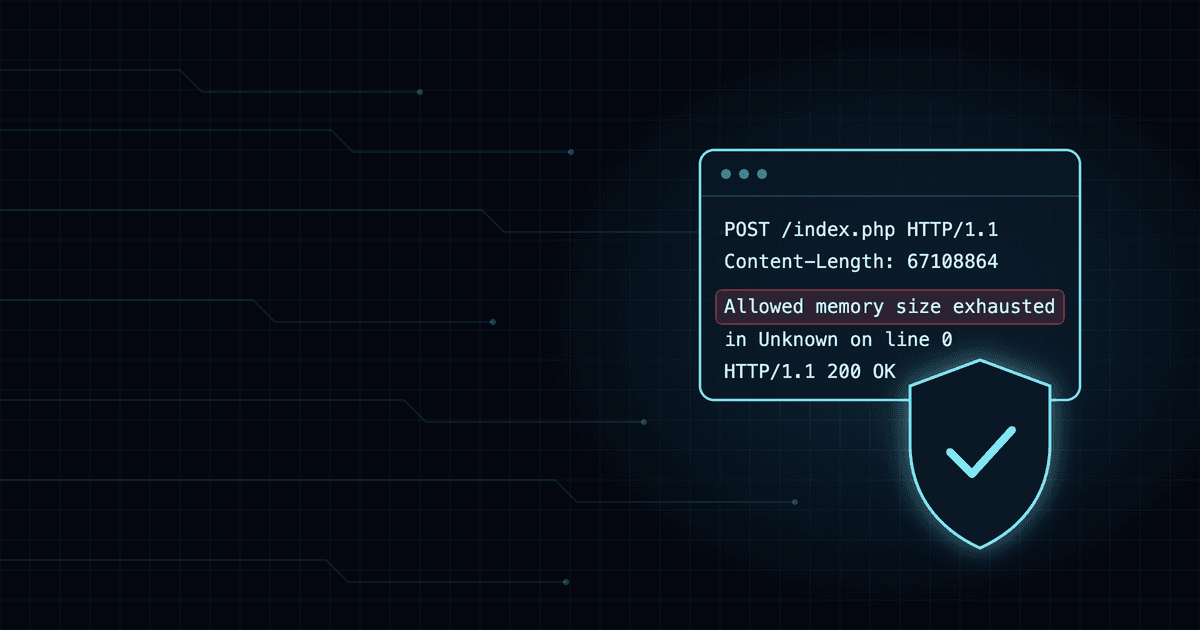
- Signs of exploitation. Look in the web server error log for "Allowed memory size of N bytes exhausted" together with "in Unknown on line 0", which points to a failure before any PHP file ran. And look for web server or PHP processes spawning shells or other unexpected processes.
How Myrmex helps you respond
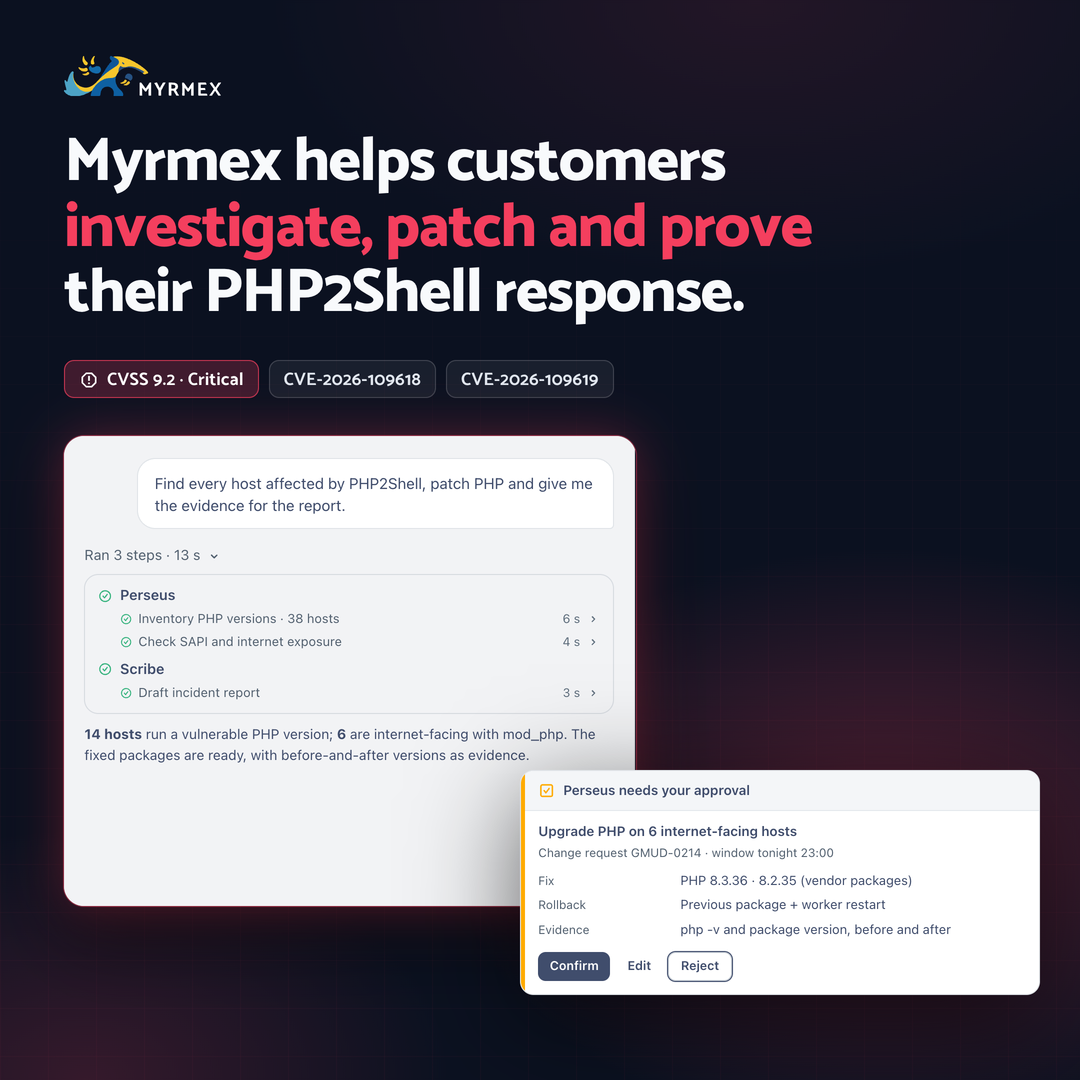
It starts with a request in plain language, such as "Find every host affected by PHP2Shell, patch PHP and give me the evidence for the report." From there, Myrmex runs the four stages that take most of the team's time:
- Investigate. Perseus uses the Myrmex agent on your servers to collect, for each host, the PHP version, the package, how PHP runs and the
memory_limitandpost_max_sizevalues, including per-site overrides. It also looks for the "in Unknown on line 0" pattern in the web server error log and correlates it with your EDR or SIEM alerts, looking for web server processes spawning shells. - Plan. With the topology and the inventory, Myrmex separates what is critical, internet-facing or in production from what can follow a standard change. For the critical ones, it drafts the change requests already filled in: affected hosts, impact, window, implementation plan and rollback.
- Act. Each change request follows your team's approval rules and only runs after it is approved, in the window you set. If the fix has to wait, configuration workarounds also go through approval, with the warning that they don't cover every attack path.
- Prove it. Before and after each upgrade, Myrmex records the version and the package and checks again. Scribe builds the incident report: hosts found, what was fixed, when, who approved it and what is still pending, ready for the audit, the committee or your customer. To keep the fleet in check, the verification can become a scheduled runbook in Books.
Every step stays in the conversation's step list and in the audit logs, and nothing changes in production without your approval. (Why this matters: Human approval that isn't theater.)
AI is on both sides
PHP2Shell shows both sides of AI in security. It helped find a flaw that had been hiding in PHP's core for years, and the leak showed how a working exploit spreads before the fix. The response needs the same speed. That is what Myrmex is for: AI agents that investigate, plan, act and document the fix with your team in charge.
Recommendations
- Update PHP. It is the only complete fix. Use 8.5.12, 8.4.27, 8.3.36 or 8.2.35, or your distribution's fixed package.
- Don't rely on workarounds alone. Disabling
session.upload_progressonly covers the session paths of one of the flaws. cgroup memory limits, loweringpost_max_sizeandupload_max_filesizeand, on PHP 8.5,fatal_error_backtraces=0help while the fix is pending, but they don't replace the update. - Restart the workers. After updating or changing settings, restart every PHP and web server process.
- Isolate what you can't fix now. Restrict public access or take the service offline until it is updated.
- Look for signs of exploitation on servers that were exposed before the fix.
Talk to our team to review your environment's exposure to PHP2Shell.