
Context is Everything: AI Precision with the Power of @

At AINEXT, we believe Artificial Intelligence should not just be "intelligent." It should be aware. Aware of your environment, your infrastructure, and above all, your intention.
For a long time, interaction with generative AIs was a game of "copy and paste." You had to explain the scenario, paste logs, describe the device. It was laborious. It was static.
We asked ourselves: What if AI could "see" what you see? What if, with a simple touch, you could bring all the knowledge of a complex system into the conversation?
We present Dynamic Context via @. It's not just a feature; it's a new language of interaction.
The End of Ambiguity
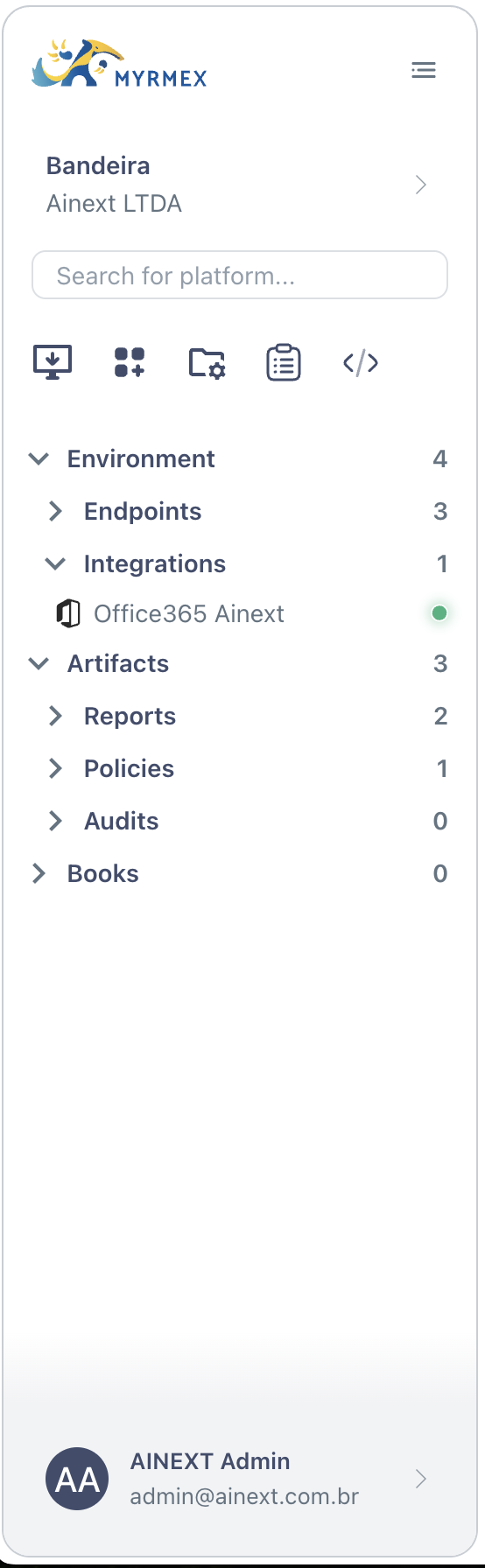
Imagine being able to point to a specific server, a security policy document, or an entire cluster and say: "Analyze this". No file uploads, no redundant explanations.
We integrated your environment directly into Myrmex's "brain." And the trigger for this magic is the most universal key on the internet: the @.
When creating this functionality, our goal was autonomy. We wanted you to be able to use the same prompt — the same words — but get radically different results depending on where you focus the AI's attention.
There are two powerful ways to use Dynamic Context in Myrmex: Surgical Focus (Inline) and Holistic Vision (Global). Let's explore how to master both.
1. Surgical Focus: Context in the Conversation Line
This is the most direct form of interaction. It's when you want the AI to talk about a specific subject or with a specific asset.
By typing @ in the chat bar, Myrmex opens a window to your digital world. You can select a device, an integration (like Office 365), or a document.
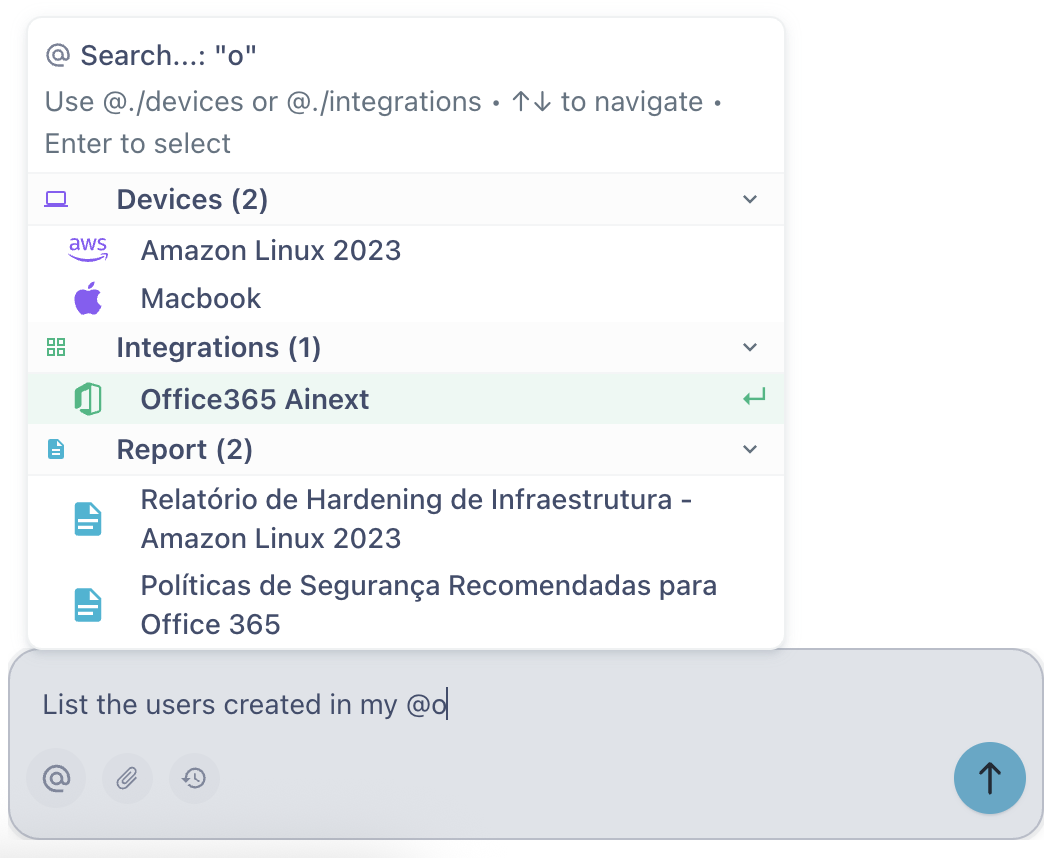
When selecting the asset, it becomes a "context pill" within your sentence. Grammatically, for the AI, it becomes the subject of the action.
Practical Example:
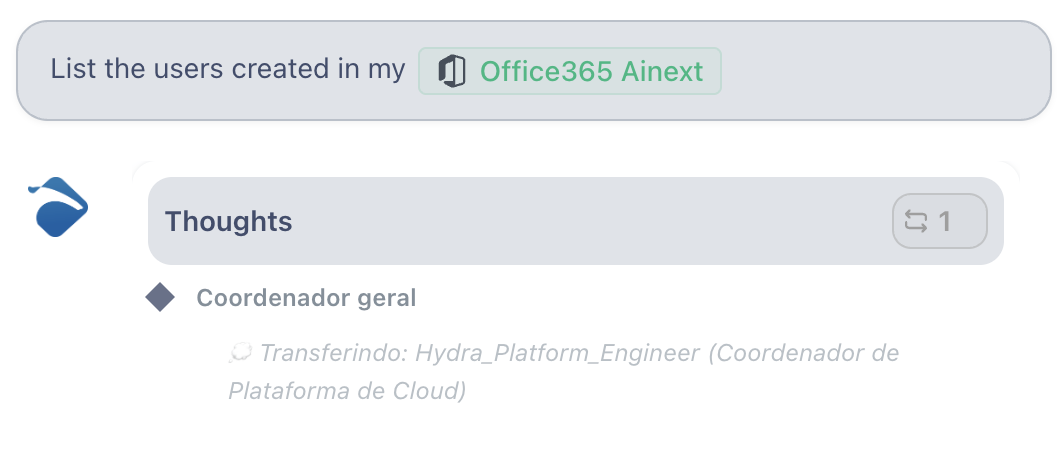
You want to audit users. Instead of explaining what your Office 365 is, you simply type:
"List users created in my @Office365 Ainext"
Pro Tip: You can chain multiple contexts for complex operations.
"Create a plan to configure a VPN between @Firewall_SP and @Firewall_RJ,
following best practices defined in the @Security_Policy_2025 document."
2. Holistic Vision: Global Context
Sometimes you don't want to talk about a single server. You want the AI to act as a manager looking at an entire department, or a whole lab group.
This is where Global Context comes in.
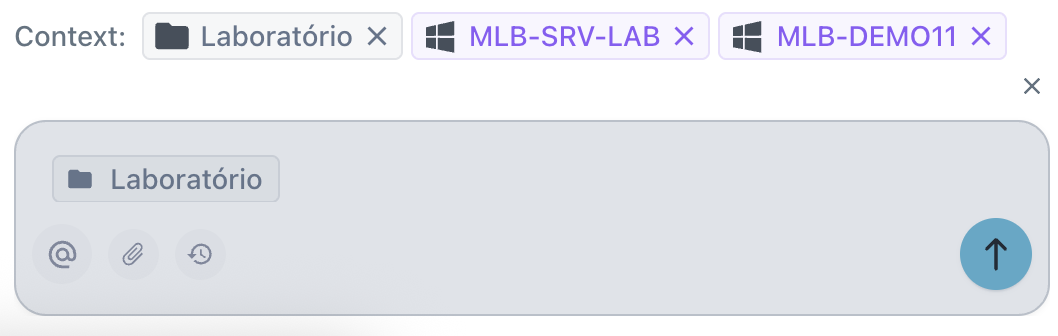
By navigating through the side menu and selecting a folder or group, or by pinning contexts to the top bar, you define the "scenario" where the AI will operate. Everything you ask will be processed from the perspective of these grouped assets.
Practical Example:
With the "Lab" folder selected in the global context (as in the image above), your prompt can be generic, but execution will be specific and comprehensive:
"Perform a user audit on all computers in this group."
Myrmex will understand that "this group" refers to all assets within the Lab tag active at the top of the screen. It will scan each machine and consolidate the response.
The Philosophy: 98% Prompt
The beauty of this system lies in its flexibility.
You can have a saved prompt in your library:
"Analyze error logs from the last 24 hours."
| Context | Result |
|---|---|
@Apache_Server | Web analysis |
@Database | SQL analysis |
@Core_Firewall | Network security analysis |
The text is 98% the same. But the @ changes everything.
This is Myrmex. Delivering you total control to build, analyze, and orchestrate your infrastructure.
Try it now. Type @ and see what happens.