
SD-WAN on FortiGate: High Performance Configuration with Scalability

 FORTIGATE
The Challenge
Configuring SD-WAN from scratch requires advanced knowledge of routing, SLA monitoring, and performance optimization. The configuration must be scalable to add new links without rework.
The goal was to implement:
- SD-WAN Zone prepared for multiple links
- Performance SLA with latency, jitter, and packet loss monitoring
- Prioritization of critical traffic and voice
- MSS Clamping and timeout optimizations
The Prompt Sent to Myrmex
Using the integration with the FortiGate, we sent:
Act as a Network and SD-WAN specialist.
Elaborate the SD-WAN configuration for @FGT-FIREWALL
focused on high performance and low latency.

Requirements:
- Configure SD-WAN zone using the internet interface
- Prepare structure for future addition of WAN2
- Configure Health Check with 8.8.8.8 and 1.1.1.1
- Monitor latency, jitter, and packet loss
- Prioritize critical traffic and voice
- Apply MSS Clamping and optimized timeouts
Note: Myrmex acts as a specialist, applying advanced configurations following SD-WAN best practices.
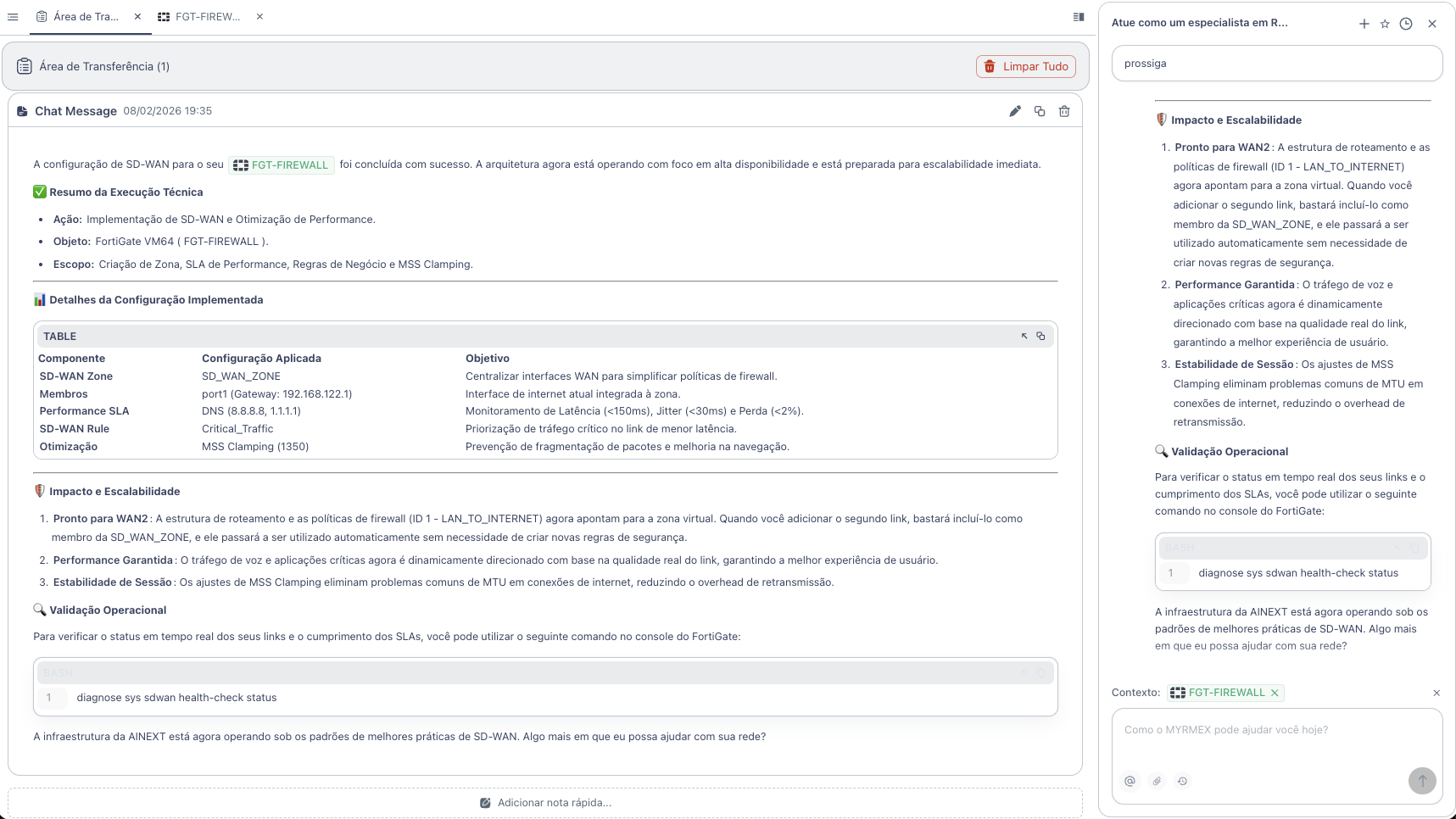
What Myrmex Did
Myrmex implemented a complete and scalable SD-WAN architecture:
Configuration Summary
| Component | Configuration | Objective |
|---|---|---|
| SD-WAN Zone | SD_WAN_ZONE | Centralize WAN interfaces |
| Members | port1 (Gateway: 192.168.122.1) | Integrated internet interface |
| Performance SLA | DNS 8.8.8.8, 1.1.1.1 | Quality monitoring |
| SD-WAN Rule | Critical_Traffic | Traffic prioritization |
| Optimization | MSS Clamping (1350) | Fragmentation prevention |
Applied Configurations
SD-WAN Zone and Members
config system sdwan
    set status enable
    config zone
        edit "SD_WAN_ZONE"
        next
    end
    config members
        edit 1
            set interface "port1"
            set zone "SD_WAN_ZONE"
            set gateway 192.168.122.1
        next
    end
end
Performance SLA (Health Check)
config system sdwan
    config health-check
        edit "DNS_SLA"
        set server "8.8.8.8" "1.1.1.1"
        set protocol dns
        set interval 500
        set probe-timeout 1000
        set failtime 3
        set recovertime 3
        config sla
            edit 1
                set latency-threshold 150
                set jitter-threshold 30
                set packetloss-threshold 2
            next
        end
        set members 1
    next
end
Prioritization Rule
config system sdwan
    config service
        edit 1
            set name "Critical_Traffic"
            set mode sla
            set dst "all"
            config sla
                edit "DNS_SLA"
                    set id 1
                next
            end
            set priority-members 1
        next
    end
end
MSS Clamping
config system interface
    edit "port1"
        set tcp-mss 1350
    next
end
Architecture Benefits
🚀 Ready for Scalability
The structure is already prepared for WAN2:
config system sdwan
    config members
        edit 2
            set interface "port2"
            set zone "SD_WAN_ZONE"
            set gateway <gateway_wan2>
        next
    end
end
Just add the new member - all rules and policies already point to the virtual zone.
📊 Real-Time Monitoring
To verify link status:
diagnose sys sdwan health-check status
Result
With the configuration performed by Myrmex:
- ✅ Centralized SD-WAN Zone for simplified management
- ✅ Performance SLA monitoring latency, jitter, and loss
- ✅ Dynamic prioritization of critical traffic
- ✅ MSS Clamping to eliminate fragmentation
- ✅ Scalable structure for multiple links
Prompt Variations
The same type of configuration can be adapted:
To add a second link:
Add the WAN2 interface to the SD-WAN of @FGT-FIREWALL with link quality balancing.
To prioritize specific applications:
Configure SD-WAN rule on @FGT-FIREWALL to prioritize Microsoft Teams and Zoom on the lowest latency link.
For automatic failover:
Configure automatic failover in SD-WAN of @FGT-FIREWALL so all traffic migrates to WAN2 if WAN1 exceeds 200ms latency.
Want to implement SD-WAN professionally? Try Myrmex and let AI configure your infrastructure following best practices.