
How to work with Myrmex

Myrmex is not a chatbot that answers security questions. It is an ecosystem of AI agents that reads, investigates and, once you approve, acts in your environment: servers, endpoints, firewalls, cloud, SIEM, EDR and the service desk. That changes how you work with it. What shapes the result most is not the perfect sentence. It is what the agents can reach, and how clearly you say where you want to end up.
This guide gathers what we have learned working alongside IT and security teams: how the ecosystem is organized, what to set up before your first request, how to ask, how to review, and how to turn what repeats into a routine.
How the agent ecosystem is organized
Every request starts with Centurion, the coordinator. It works out what you want, finds the integration or device involved and brings in the right specialists. Each specialist owns a domain:
- Perseus: endpoints and servers. Investigates incidents, runs CIS audits, applies fixes and executes commands on the host.
- The Hydra family: specialists per infrastructure domain. One covers network and security hardware (firewalls, routers, switches, Wi-Fi), one SIEM and EDR, one cloud, one databases, one DevOps, one observability, one the service desk and one identity.
- Athena: posture and GRC. Ranks audit findings across every integration and sums up what matters.
- Orion: threat intelligence. Checks IOCs and CVEs against your configured threat intel sources.
- Scribe: documents, reports and notes.
- Iris: research on the web and in the Myrmex documentation.
- Brontes: runs the platform itself. Manages integrations, devices, folders, users and automations, without touching your equipment.
You don't need to pick the specialist. Describe the problem, and Centurion builds the team. If more than one integration could fit (two firewalls, two cloud accounts), it asks which one to use before going on.
Set up your environment before the first request
Agents only work with what they can reach. This is the step that changes results the most, and the one most often skipped.
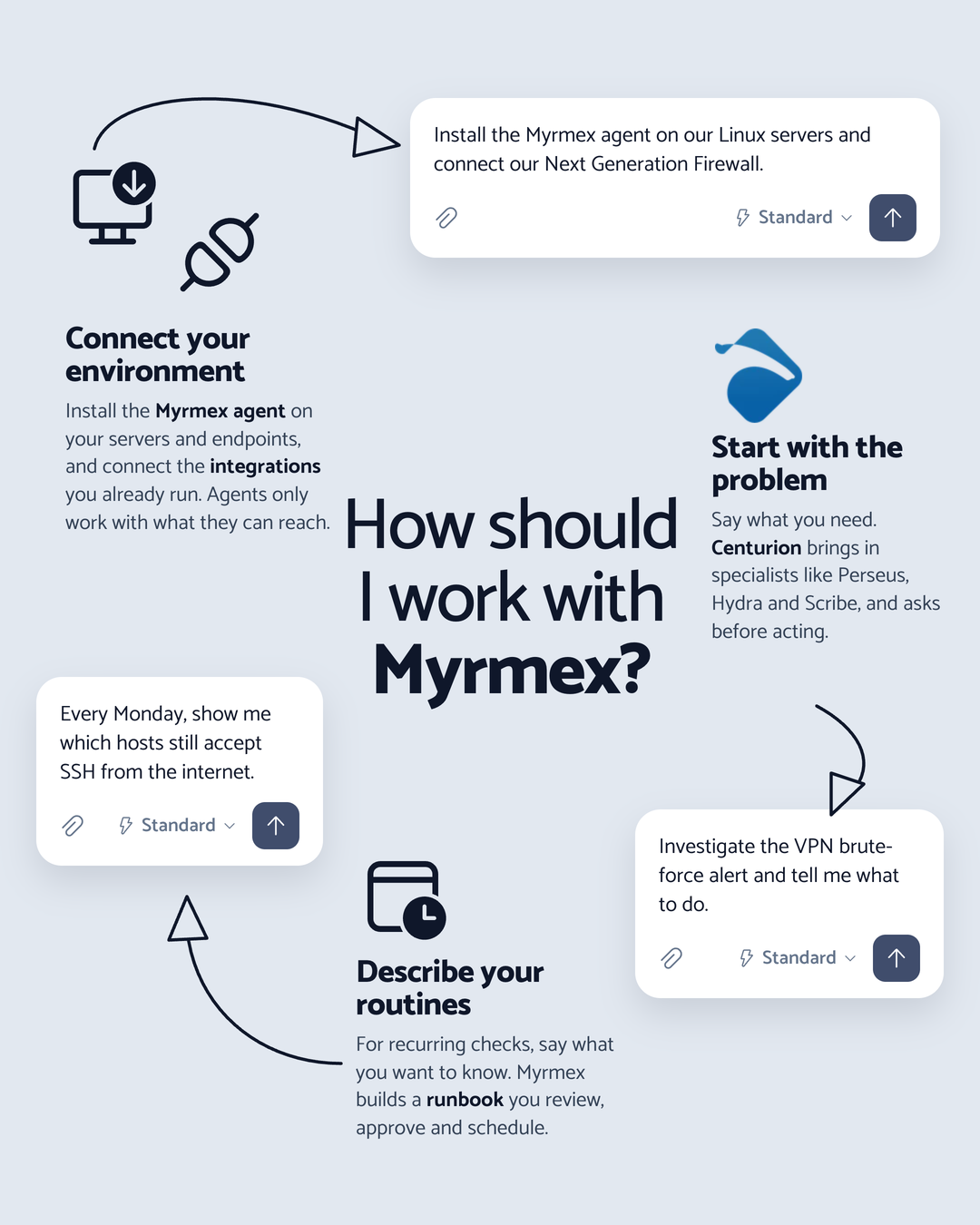
Install the Myrmex agent. The agent runs on Windows, Linux and macOS and works in two ways. In endpoint mode, it looks after the machine it is installed on: inventory, audits, telemetry and response actions. In collector mode, it becomes Myrmex's bridge to what can't run an agent: network gear, cloud, SaaS and databases, over SSH or API. The connection is outbound only, on port 443, and the same agent switches modes without a reinstall. A new device joins as unauthorized and only receives actions after you authorize it.
Connect the integrations your environment already runs. Firewall, cloud, SIEM, EDR, identity, service desk. Credentials go straight to Myrmex; the AI agent only receives the integration that was created, never the password. If you ask for something that needs an integration you haven't connected yet, the chat offers the card to create it right there, and when a collector is missing, it walks you through installing the agent first.
An account with three servers and a firewall connected can already investigate, audit and fix for real. An empty account can only talk.
Choose a work mode
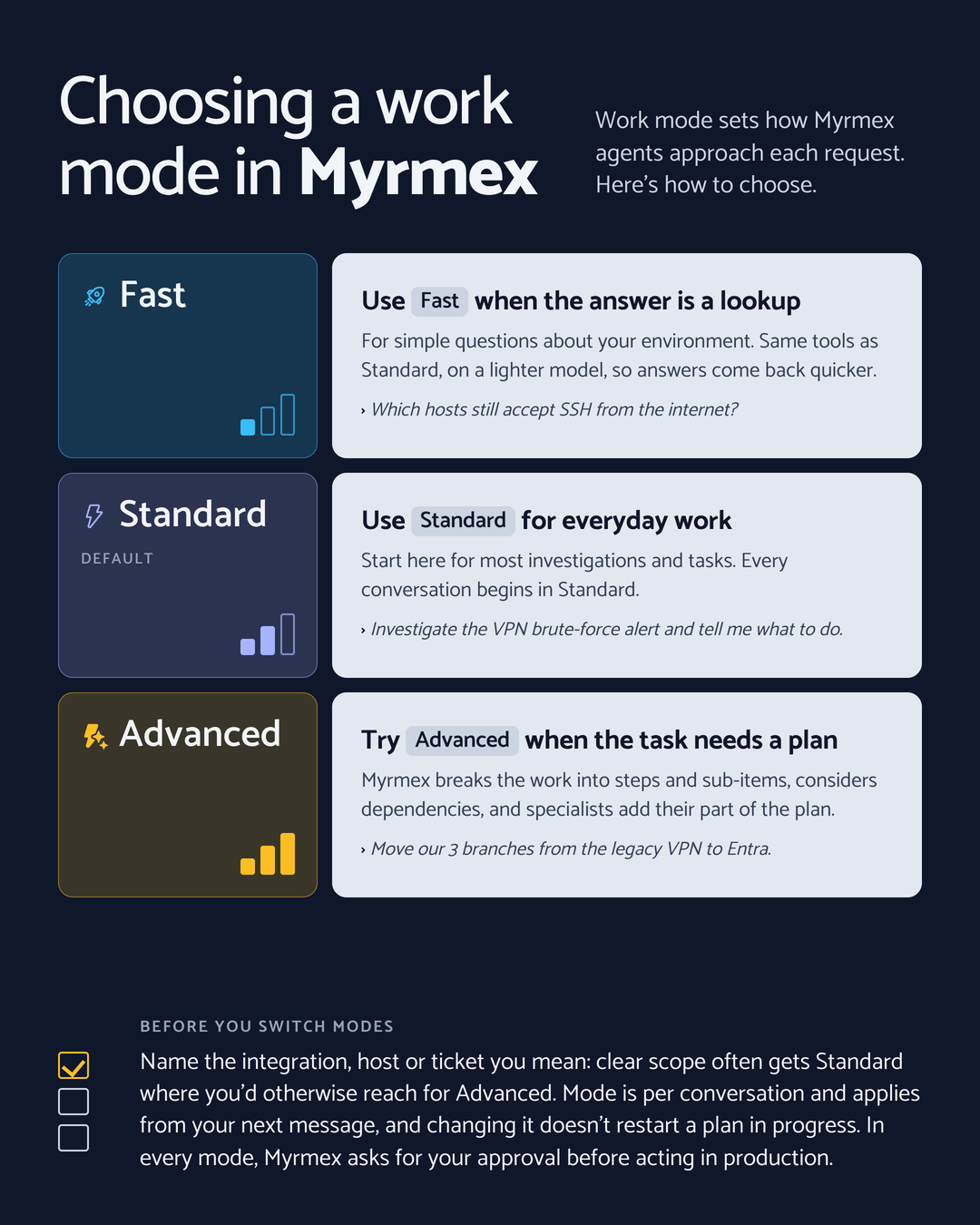
In the composer, the first button on the left sets how the agents approach the conversation:
- Fast: simple questions about your environment, with the same tools as Standard on a lighter model.
- Standard: where every conversation starts, for everyday investigations and tasks.
- Advanced: for complex tasks. Myrmex breaks the work into steps and sub-items, considers the dependencies between them, and specialists add their part of the plan.
The choice applies to the conversation, from your next message on. Changing mode doesn't restart a plan in progress.
Start with the problem, not the procedure
You don't need to dictate commands. Say what the problem is and what you expect at the end, and let Centurion decide the path. A few examples that work well:
- Investigation: "Investigate the VPN brute-force alert and tell me what to do."
- Audit: "Audit fw-edge-01 against CIS and prioritize what's critical."
- Inventory: "Which hosts still accept SSH from the internet?"
- Change: "Create a change request to block the INC-2041 IPs on the FortiGate, with a rollback and a window."
Spell out steps only when the procedure itself is what matters, for example a runbook your auditors require you to follow in order.
Give context and limits
Agents get it right more often when they know what you mean and what must not happen.
- Point at the target. Use @ to name the device, the integration or the folder. That removes ambiguity before the first step. (More on this in Context is everything.)
- State the limits. "Don't touch production", "read-only", "the window is Saturday at 2 a.m." A limit stated in the request becomes a limit in the plan.
- Say what it's for. "It's for the board report" changes how detailed the answer is.
If something is missing, Myrmex asks. In every mode, the agent can stop mid-turn and ask a clarifying question before going on.
Follow along and review before you approve
Nothing changes in your environment without you seeing what will change. During the turn, the step list shows each agent and each tool it used, and every step opens the real command output. When the turn ends, the list collapses into one line, like "Ran 7 steps · 12 s", which you expand whenever you want to check.
When the next action writes something to your environment, the "The agent needs your approval" card appears, with the exact values that will be used and the options Confirm, Edit and Reject. Bigger changes, across many machines or within a window, become a change request with impact, rollback and your team's approval rules. Plans, tables and diagrams from the conversation stay in Session artifacts. (Why this matters: Human approval that isn't theater.)
Review the reasoning too. Ask where a number came from, ask for the evidence behind a finding, push back on a priority. The agent answers with what it collected.
Turn what repeats into a routine
If you ask for the same check every week, describe it once and let Myrmex take care of it. In Books, you create an automation in plain language, naming the devices and tools with @, and Myrmex builds a runbook you review, edit and only then approve and enable. It can run on demand, on a recurring schedule, on a one-time schedule or from a webhook.
Describe what you want to know, not just when to run it: "Every Monday, show me which hosts still accept SSH from the internet and what changed since last week."
Look after the foundation
Myrmex gets better as your connected environment becomes more complete and better organized:
- Keep integrations healthy. An expired credential is a blind spot. (See Vital signs.)
- Organize with folders. Separating headquarters, branches and customers gives every request context. (See From chaos to context.)
- Cover what can't run an agent. A collector reaches switches, firewalls and cloud without installing anything on them. (See The heart of connectivity.)
Where to start
Install the agent on one server, connect one integration you use every day and ask for something that takes an hour of your week today. Review what comes back, approve what makes sense and, if the task repeats, turn it into a runbook. Your next requests will go further, because Myrmex will reach more of your environment.